The app reads your combat log while you play: every player's damage, healing, deaths and interrupts live in the raid, a Mythic+ timer with all upgrade thresholds – and after each pull the fight lands in your WoWCore analysis by itself.
Last updated on Nov 20, 2026
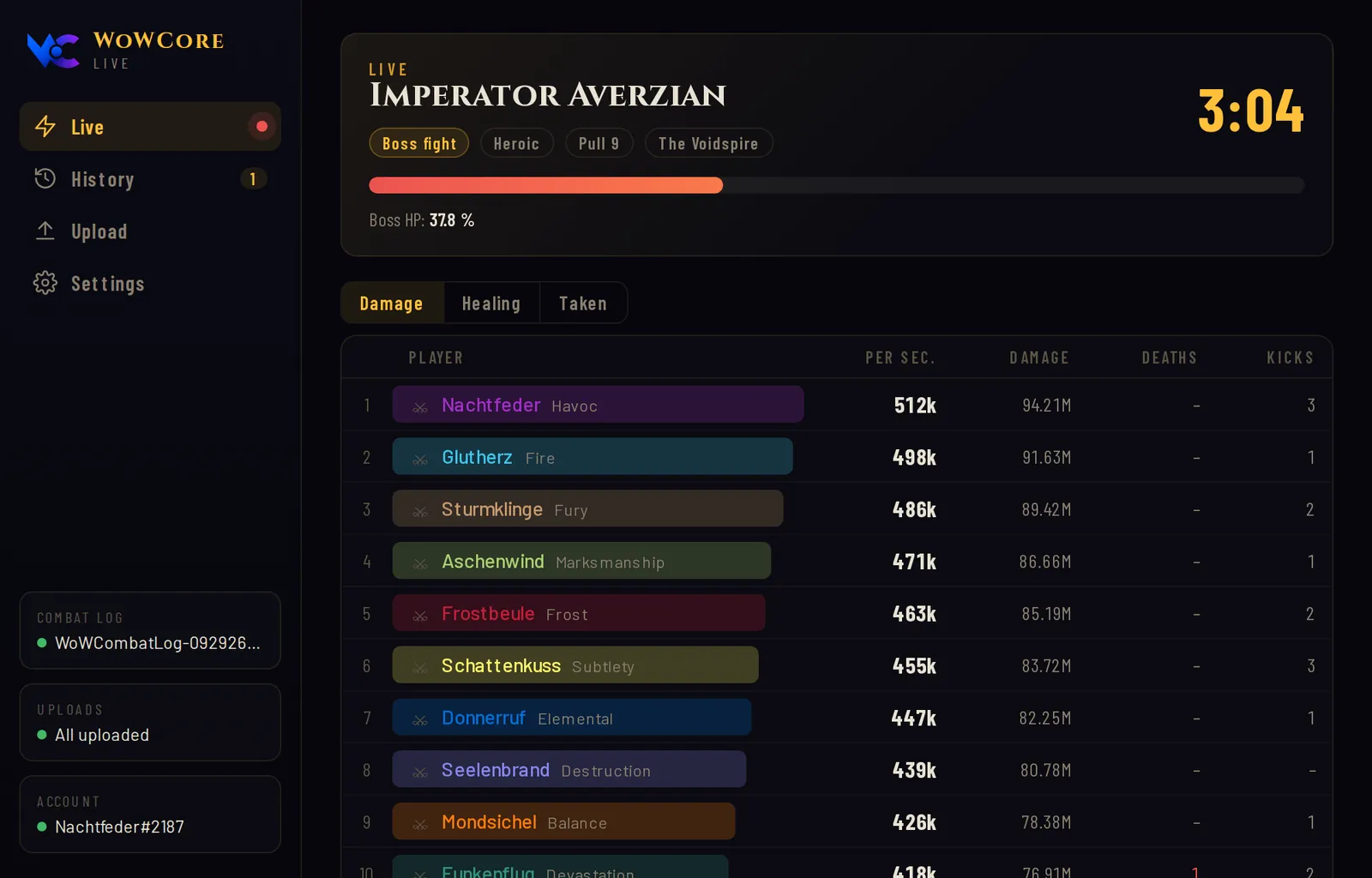
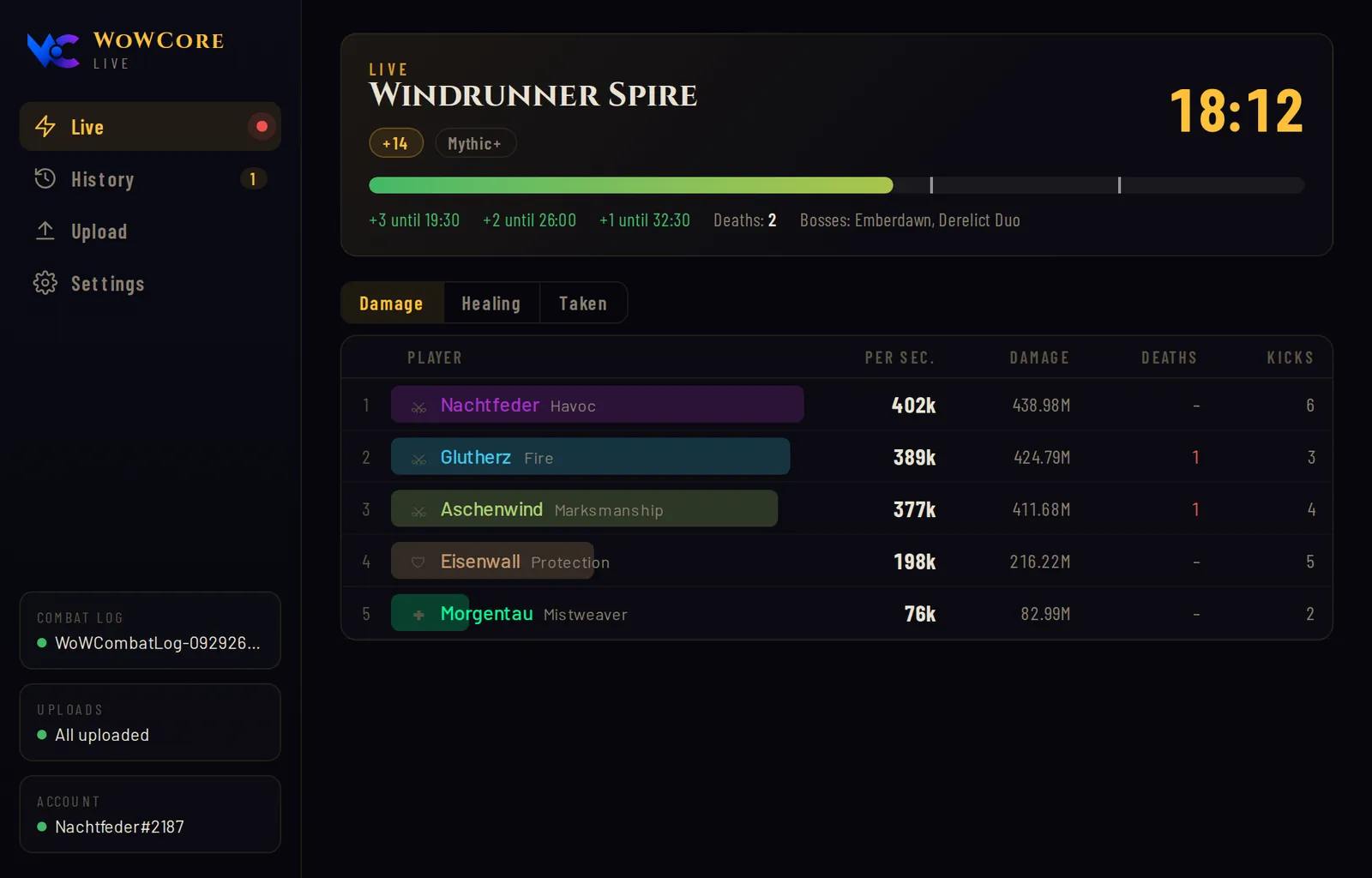
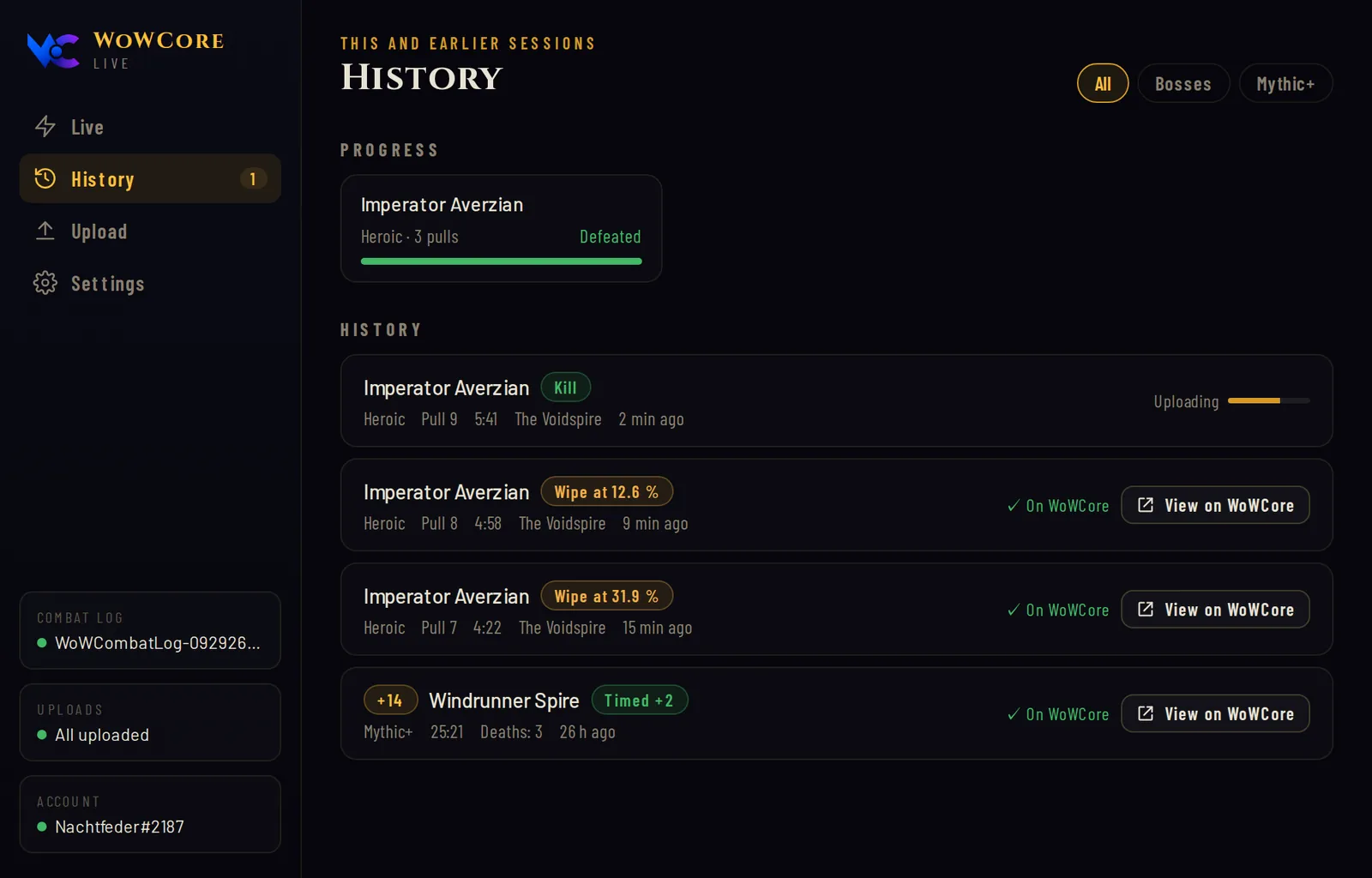
No folder hunting: the app detects your WoW installation automatically – whichever drive it is on.
Raid pulls land in the night's report seconds after they end, every keystone in its own. Older log files can be uploaded with one click.
Every fight is saved on your PC first. Without internet or sign-in it waits and goes out later – even after a restart.
If you like, the app starts with Windows or only once you launch WoW – straight into the notification area next to the clock. It installs its own updates.
Download the setup file and run it with a double-click. Installation takes less than a minute. The file is deliberately always the same version – on first launch the app updates itself to the latest. Windows asks first? Here’s how to continue.
Click “Connect to WoWCore” in the app and confirm the code shown in your browser. Sign-in goes through Battle.net.
In the app, open “Plans” and click “Install addon”. The addon then turns on advanced combat logging at login and starts recording by itself when you enter a dungeon, Mythic+ or raid. Only raids and Mythic+ of the current season are uploaded. You can switch it off in game under /wowcore → Settings. Only as a fallback without the addon: Esc → Options → Network → “Advanced Combat Logging” and type /combatlog before you start.
A leveling guide as its own add-on module: step by step through the quests, with an arrow and, if you like, automatic accepting and turning in. The guide learns together: quest locations and enemy assignments are shared with everyone without your account (quest numbers, locations, enemy numbers, level, race and class – never character names, realms or the way you travel). By using it you agree to the sharing; if you do not want to share, do not install it, or turn it off in the app or delete the guide folder. Turn it on in the app under Addon → Install guide – it only goes into your Forever installation and can be turned off there again.
Without the app: unpack the guide as a ZIP into the AddOns folder of WoW Forever. It needs the WoWCore addon version 1.4.19 or later.
Whispers in their own windows: one window with history per conversation, plus its own area in the WoWCore window. Messages stay only on your PC – the messenger transmits nothing to WoWCore. The history is stored unencrypted in the WoW folder on your PC – on shared PCs choose “Do not save” under “Keep conversations”. In dungeons, raids, M+ and PvP, Blizzard shows whispers only in the normal chat. The messenger cannot read anything there. Turn it on in the app under Addon → Install messenger – it goes into your Retail and Forever installations and can be turned off there again.
Without the app: unpack the messenger as a ZIP into the AddOns folder of Retail or WoW Forever. It needs the WoWCore addon version 1.4.20 or later.
WoWCore Live is a new, small app and doesn’t have a paid publisher certificate (yet). So Windows doesn’t know the file yet and asks once to be safe. That’s normal and says nothing about the app itself.
If your browser holds the file back, choose Keep. In Edge: three-dot menu … on the download → Keep → Show more → Keep anyway.
If Windows shows “Windows protected your PC”: More info → Run anyway.
Windows 11 with Smart App Control turned on blocks apps without a certificate entirely, with no “Run anyway”. On those PCs WoWCore Live can’t be installed for now. We don’t recommend turning the protection off for it.
Every file has a unique fingerprint. If it matches, it’s our file, unchanged.
Only download WoWCore Live here from wowcore.io. We don’t offer the app on any other download site – copies elsewhere aren’t from us.
The download starts immediately. The app installs with a double-click and keeps itself up to date from then on.
WoWCore Live only reads the combat log that WoW itself writes to your disk – it does not interfere with the game. Uploaded fights are publicly viewable on WoWCore like all logs and stay that way; only you can remove them from your logs.
AAD8F7C80F8BF0FC6D549AB39207A7D28C19970F5E9938F1F61A879AD39A9661(Get-FileHash "$HOME\Downloads\WoWCoreLiveLogs-Setup.exe").Hash -eq "AAD8F7C80F8BF0FC6D549AB39207A7D28C19970F5E9938F1F61A879AD39A9661"Press the Windows key, open “PowerShell”, paste the command, press Enter. If it says True, it’s exactly our file. If it isn’t in your Downloads folder, adjust the path.


